Your Epicor invoices, delivered.
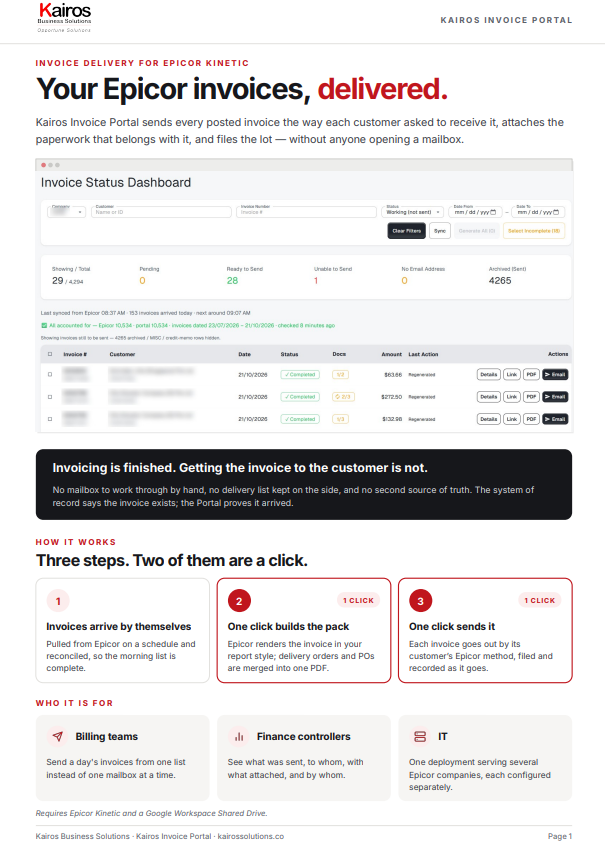
Kairos Invoice Portal sends every posted invoice the way each customer asked to receive it, attaches the paperwork that belongs with it, and files the lot — without anyone opening a mailbox.
Built for Epicor Kinetic · Running in production across multiple companies
Invoicing is finished. Getting the invoice to the customer is not.
The invoice is posted and correct. Then somebody opens a mailbox, merges two PDFs by hand, sends it, saves a copy somewhere — and does it again for the next one. Multiply by a day’s invoices. Repeat every day.
“Which customers want email, and which want it by post?”
“Where is the delivery order that goes with this invoice?”
“Did this one already go out — or are we about to send it twice?”
The system of record says the invoice exists; nothing says it arrived. Kairos Invoice Portal does — every send recorded: who, when, to which address, with what attached.
Three steps. Two of them are a click.
-
1
Invoices arrive by themselves
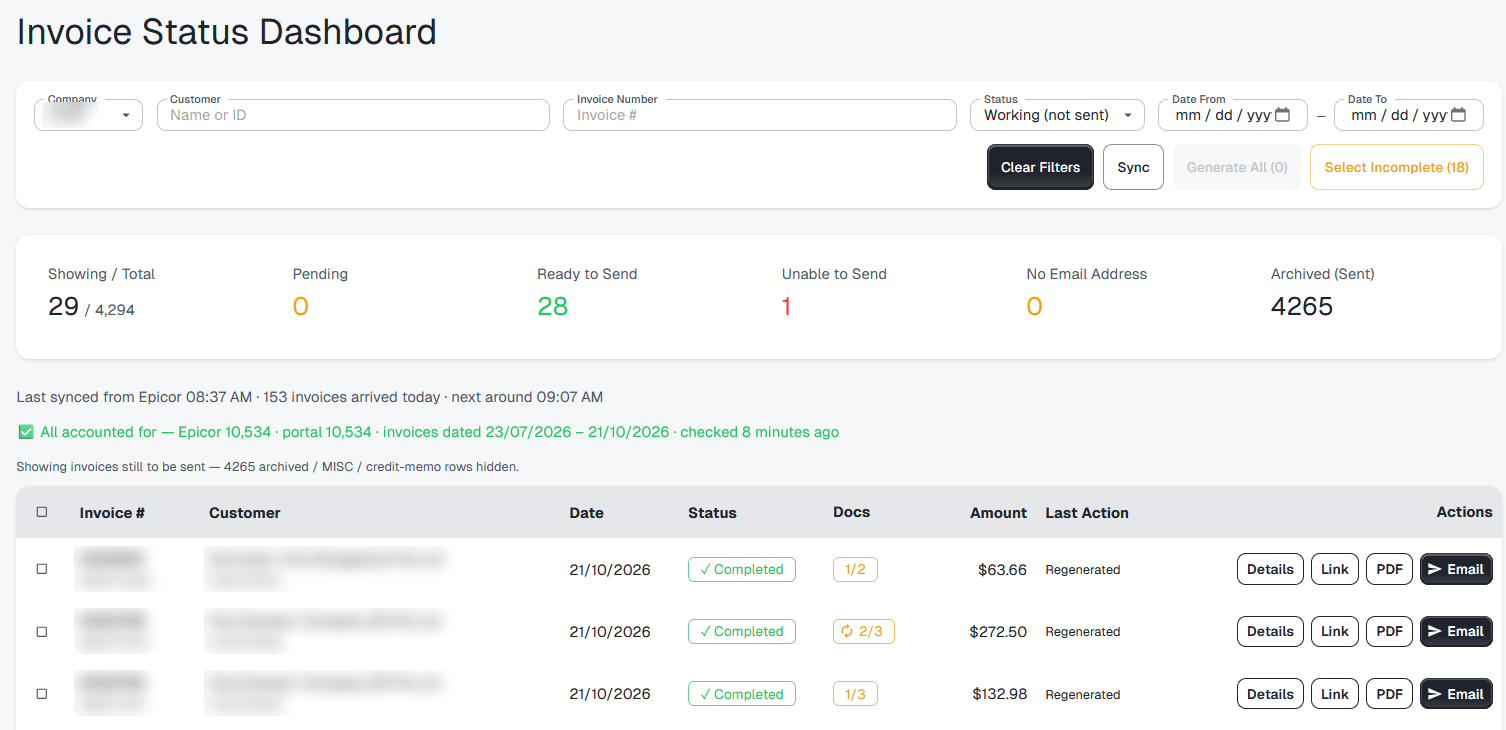
Pulled from Epicor on a schedule and reconciled, so the morning list is complete.
-
1 click
2
One click builds the pack
Epicor renders the invoice in your report style; delivery orders and POs are merged into one PDF.
-
1 click
3
One click sends it
Each invoice goes out by its customer’s Epicor method, filed and recorded as it goes.
The invoice your customer receives is the one Epicor printed.
The PDF is rendered by Epicor’s report engine, in the report style that company is configured to use. It is not a lookalike built by us, so the archived copy matches what finance prints from Kinetic.
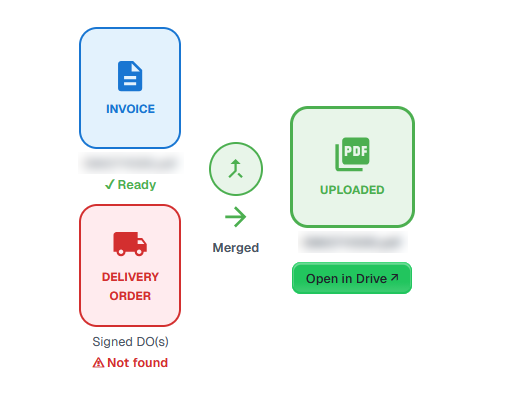
- Delivery orders and customer purchase orders merged into one document
- A badge on each row shows what the PDF actually contains
- Offers to rebuild the pack when something arrives late
Every send recorded. Every count reconciled.
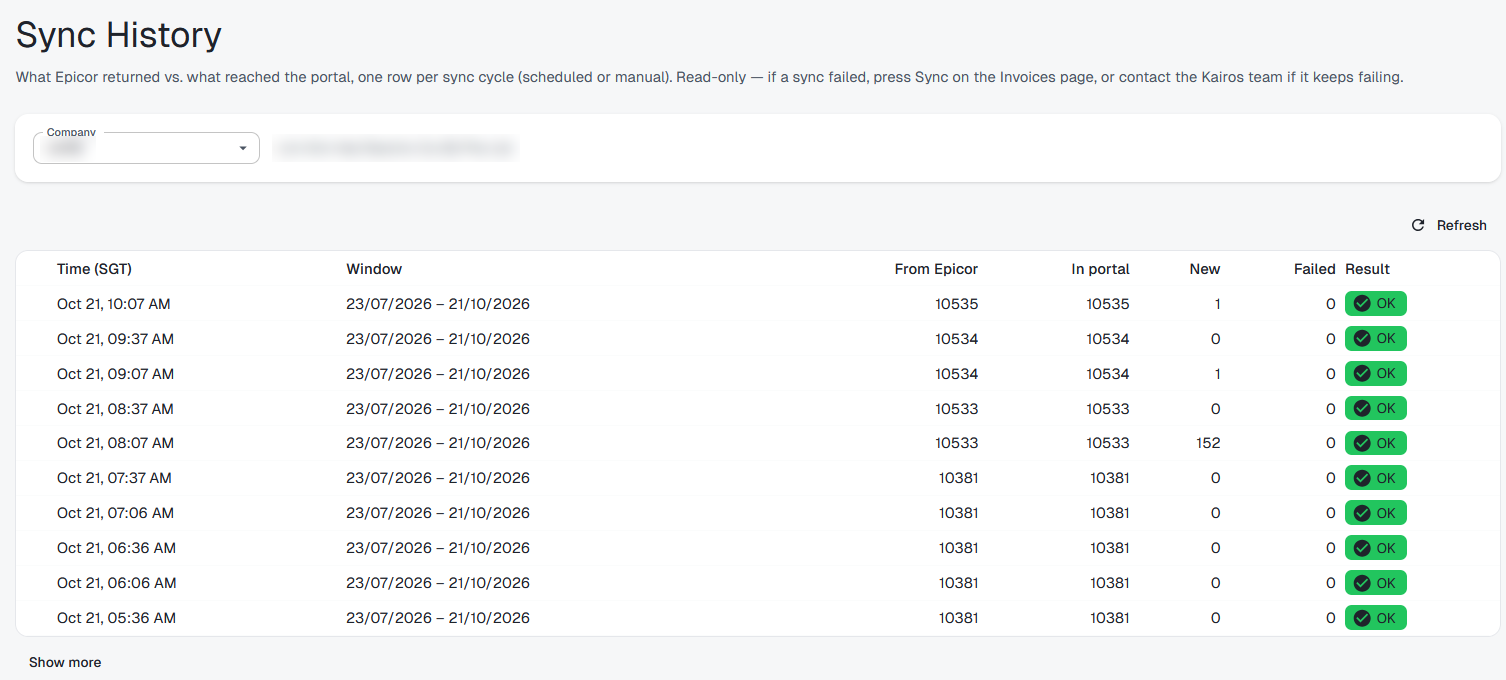
Every sync reconciles Epicor’s count against the Portal’s. Every action against an invoice is logged with the person and the time. Failures record the address and the reason.
A question about whether something went out is answered from the list — who sent it, when, to which address, with what attached.
Everything an invoice needs. Built around Epicor.
The Portal keeps no second copy of the commercial truth. Customers, invoices, attachments and documents live in Epicor Kinetic. The Portal delivers them and records what it did.
Delivery rules you already maintain
By email, by post, by hand, by portal, held for review, or not to be invoiced at all — read from the customer record in Epicor at send time. Changing how a customer is invoiced stays a change in Epicor.
Filed as it sends
A folder per invoice on your own Google Shared Drive, by fiscal year, month and day. Once sent, it moves to the archive, so the working area only holds what is still outstanding.
Safe to turn on
Test mode redirects every customer email to your own team while you check the configuration, with the real recipients written into the message so you can see who would have received it.
One system of record
Posting, credit control and collection remain standard Epicor functions. Nothing moves out of the ERP, and nothing has to be kept in step with it.
Answered before you ask.
Does it change anything in Epicor?
No. It reads invoices, customers and attachments, and it renders your existing invoice report. Posting and collection are untouched.
What if a customer should not be emailed?
That is already on their Epicor record. Customers marked not to be invoiced, or to be invoiced by post, by hand or through a portal, are filed and marked but never emailed.
Can it send to the wrong customer?
Addresses come from the customer record rather than being typed. Test mode lets you run the whole flow with every message redirected to your own team before any customer is involved.
What happens when Epicor is unavailable?
Scheduled syncs record their outcome, and the people who need to know are alerted once per incident. A failed sync re-reads the whole window on the next run, so nothing has to be caught up manually.
How many companies can it serve?
Several from one deployment, each with its own sender, templates, recipients and drive, and no shared state between them.
Where are the files kept?
On your own Google Shared Drive, in a folder structure you can navigate without the application.
Take the details with you.
Download the two-page Kairos Invoice Portal brochure (PDF). Enter your work email and the download starts straight away.
See it against your own invoices.
A day’s invoices out the door from one list, with every copy filed — shown on your own Epicor data.