How can we help you today?
Step-by-step walkthroughs for every part of the Kairos Supplier Portal — pick your role below to see the guides that apply to you.
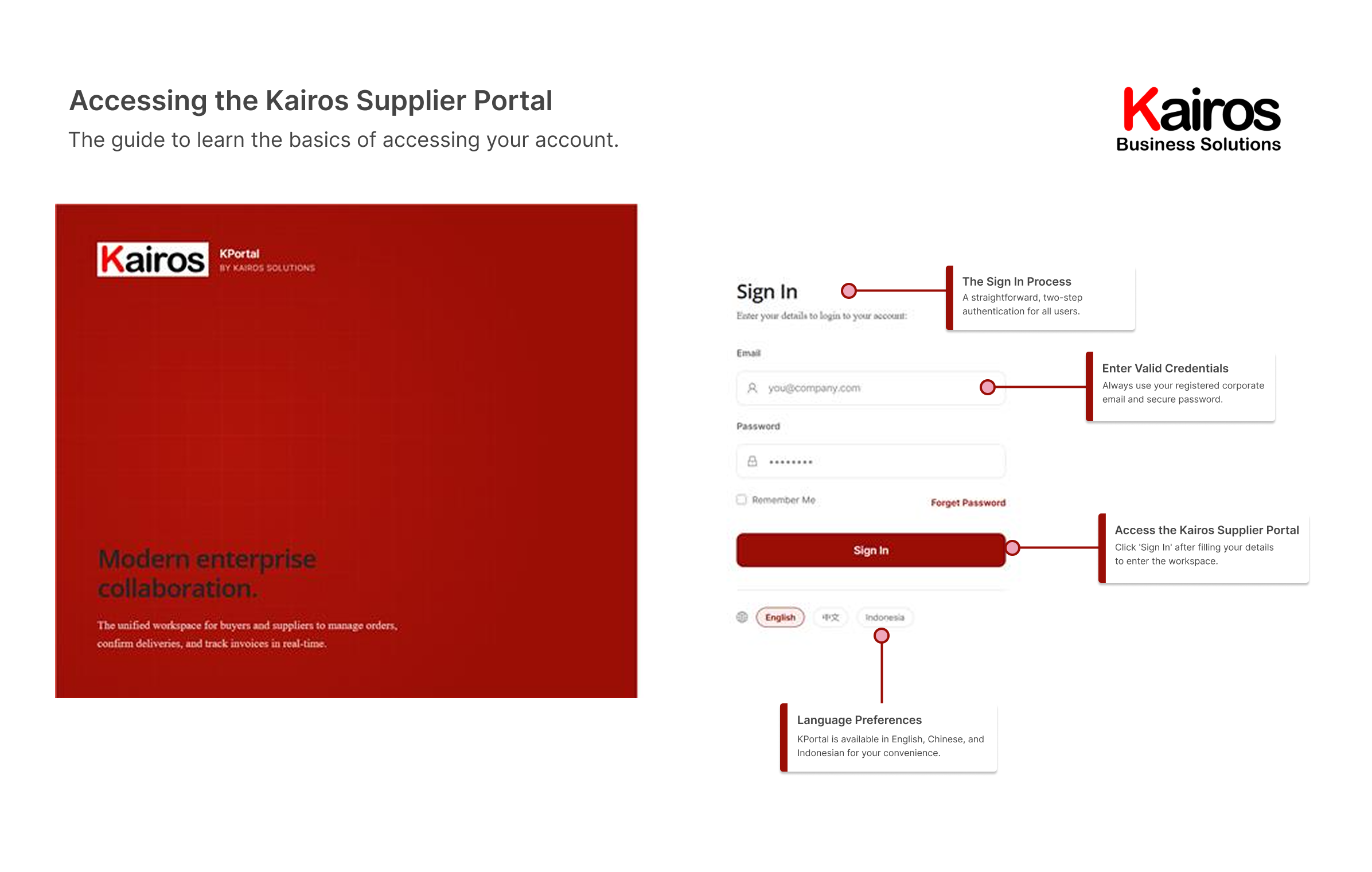
Sign inAccess your account and set your language
Get secure access to the portal, manage your login credentials, and configure your language preferences.
What you’ll find
- Email and password fields
- Credential recovery and reset
- Secure sign-in controls
- Language preference settings
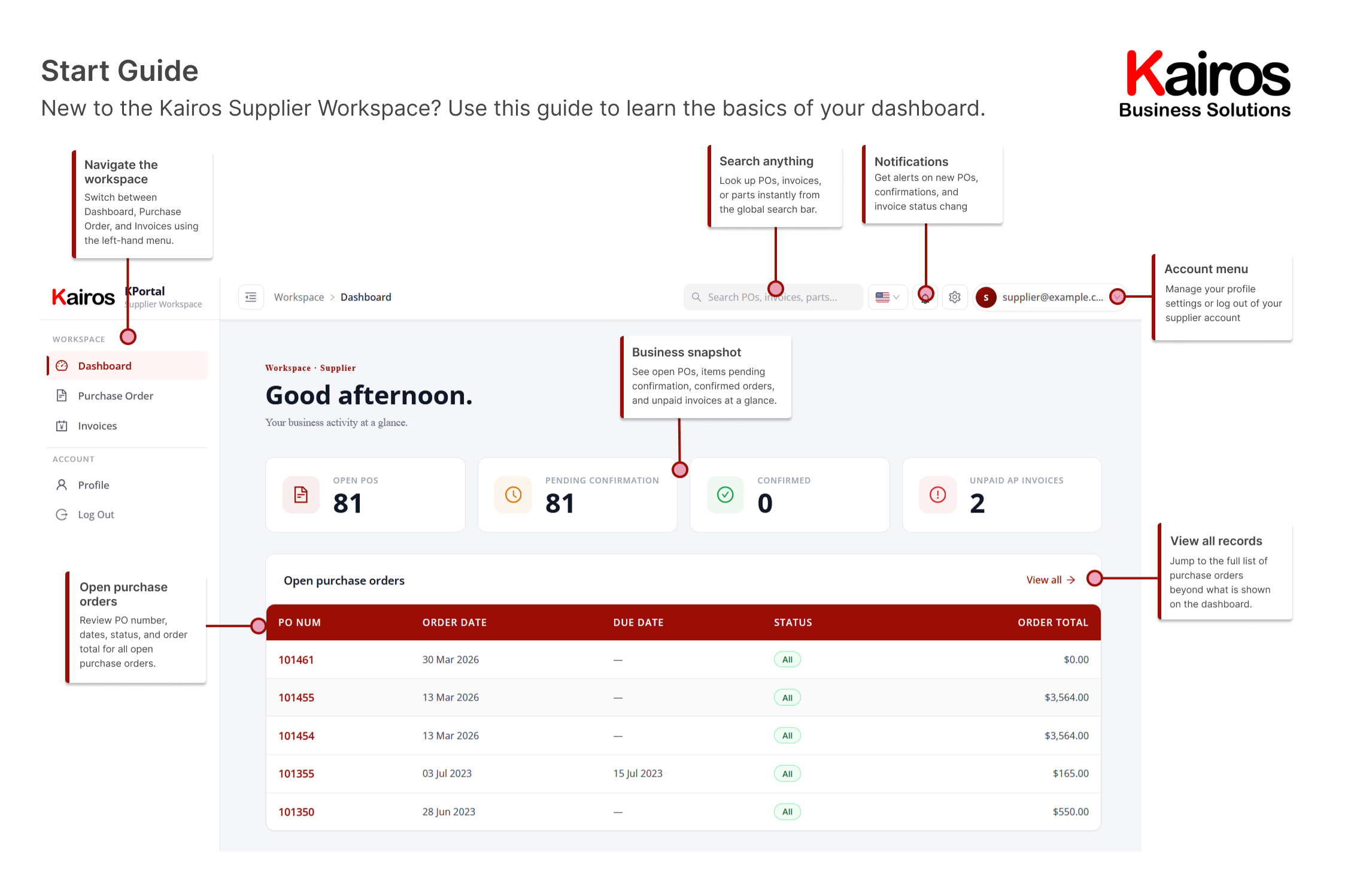
DashboardYour home base for navigation and alerts
Navigate the main workspace, run searches, check notifications, and scan your key summary tables at a glance.
What you’ll find
- Main interface navigation
- Global search
- System alerts and notifications
- Account settings menu
- Business overview snapshot
- Open purchase orders table
Purchase ordersBrowse, filter, and track every order
See the master list of your purchase orders, filter historical results, and keep track of current commitments.
What you’ll find
- Search filters and query tools
- Order status columns
- Consolidated order totals
- Total record counts
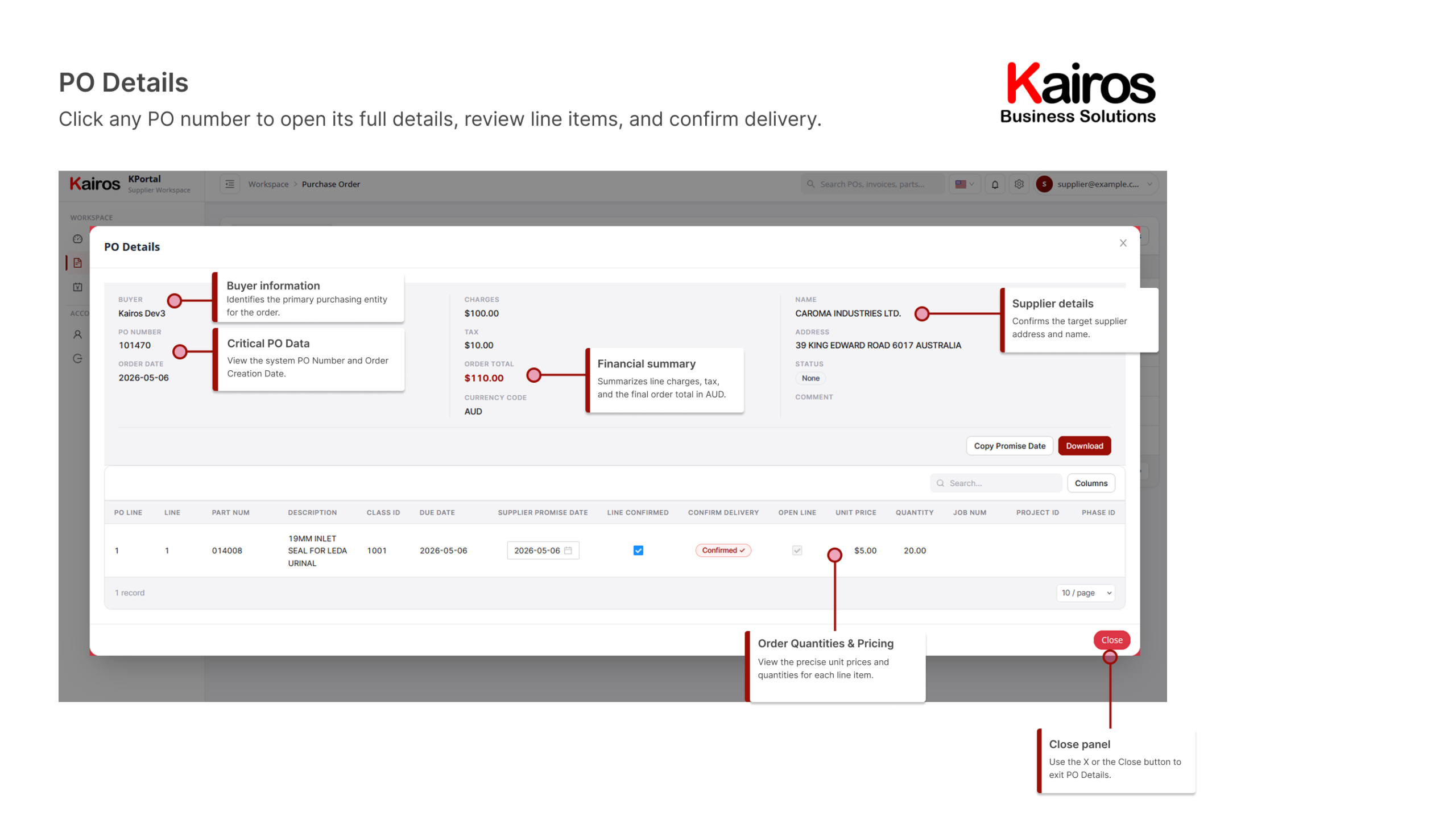
PO detailsDrill into a single order’s full specs
Open the detailed pop-up view to see granular specifications for an individual order.
What you’ll find
- Buyer contact information
- Order net totals
- Supplier profile details
- Financial summaries
- Order quantities and item pricing
- Close panel controls
InvoicesTrack billing status and balances
Follow your list of billing submissions, trace status updates, and review outstanding balances.
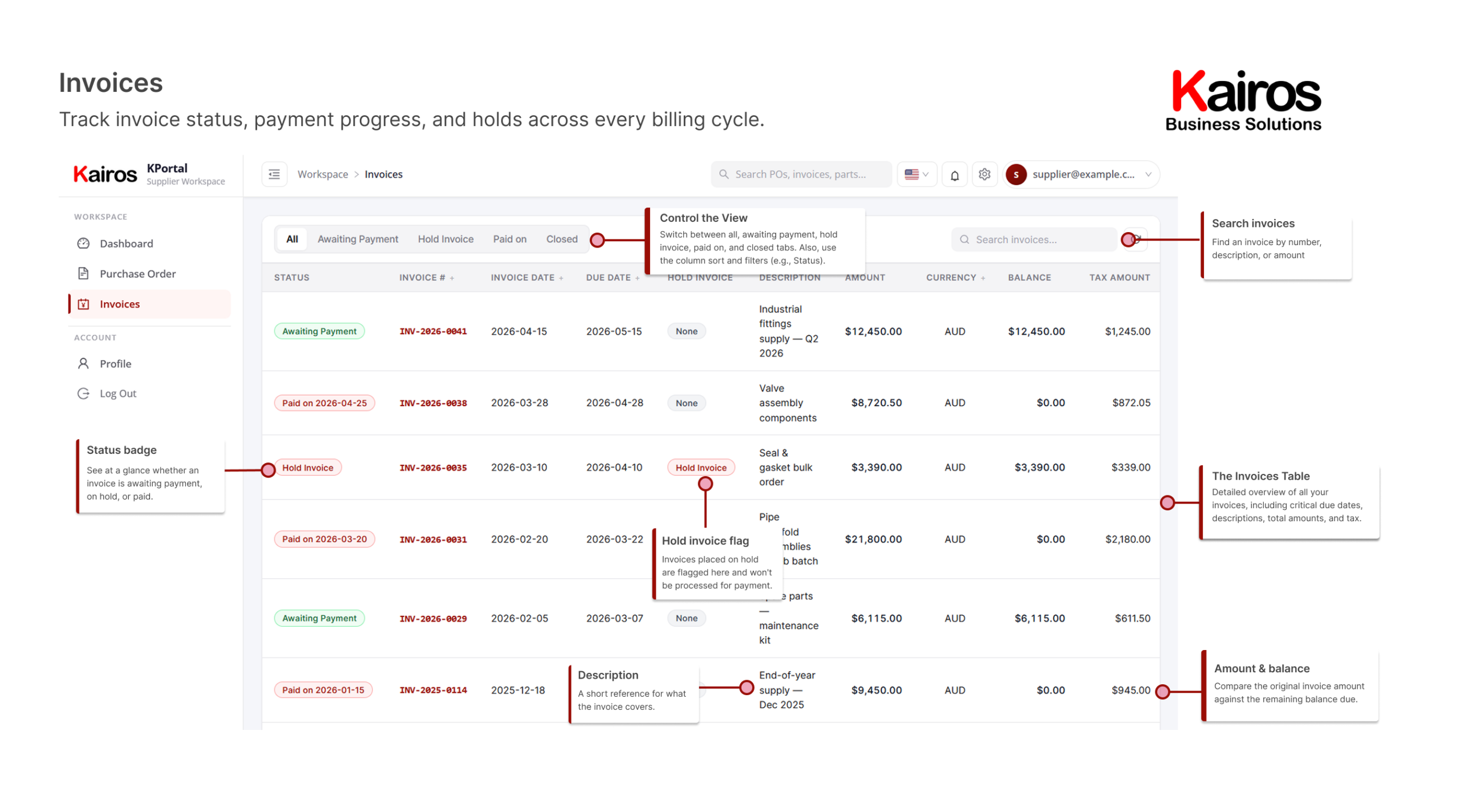
What you’ll find
- Advanced invoice filters and search
- Visual status badges
- Hold and exception flags
- Invoice amount and remaining balance
Invoice detailsFull breakdown and settlement status
View complete invoice information, processing milestones, and final settlement confirmation in the panel.
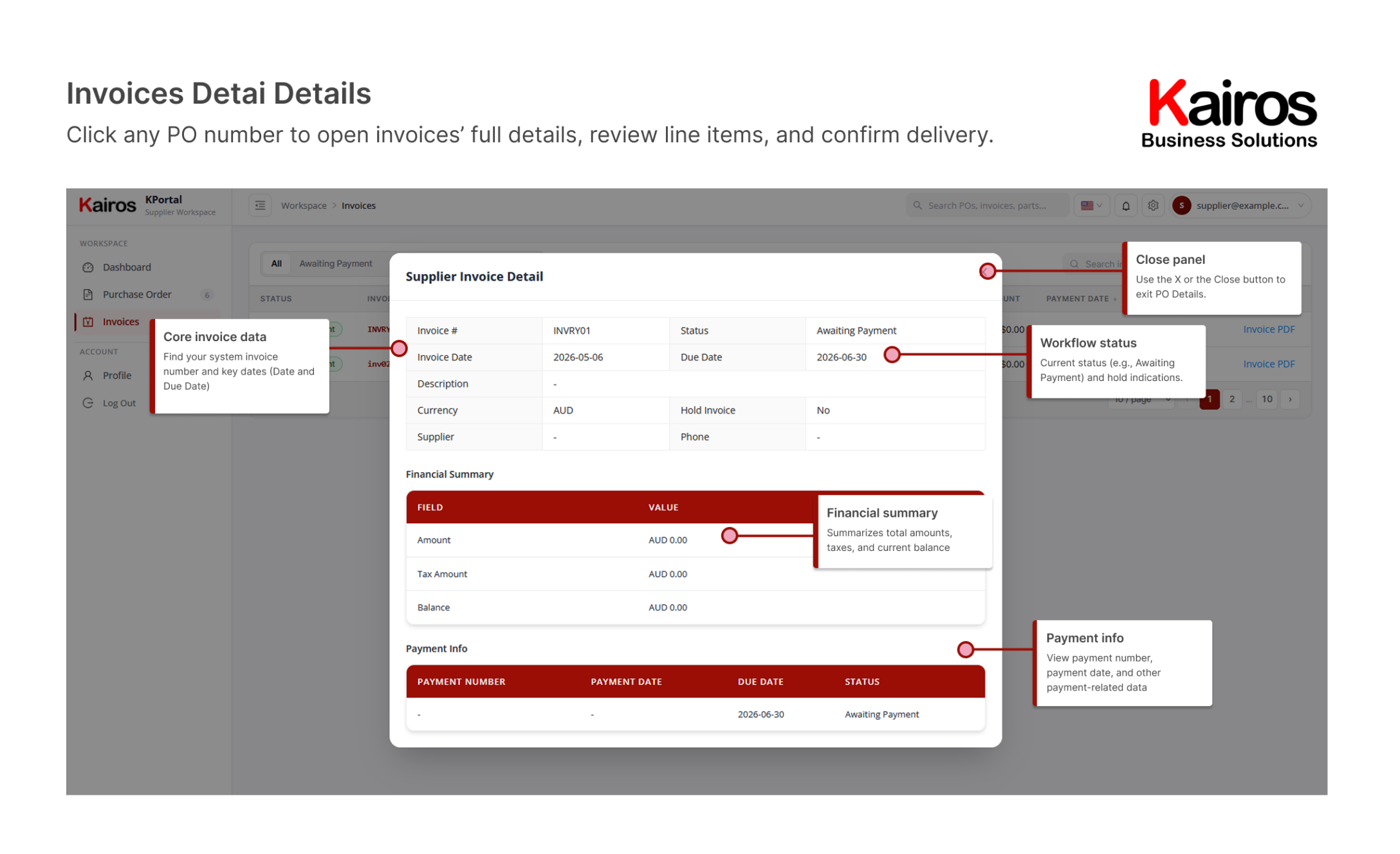
What you’ll find
- Core invoice metadata
- Approval workflow tracker
- Financial line item breakdown
- Payment information
- Close panel controls
Supplier profileYour identity and linked systems
Manage your identity configuration, verify system accounts, and coordinate linked partner systems.
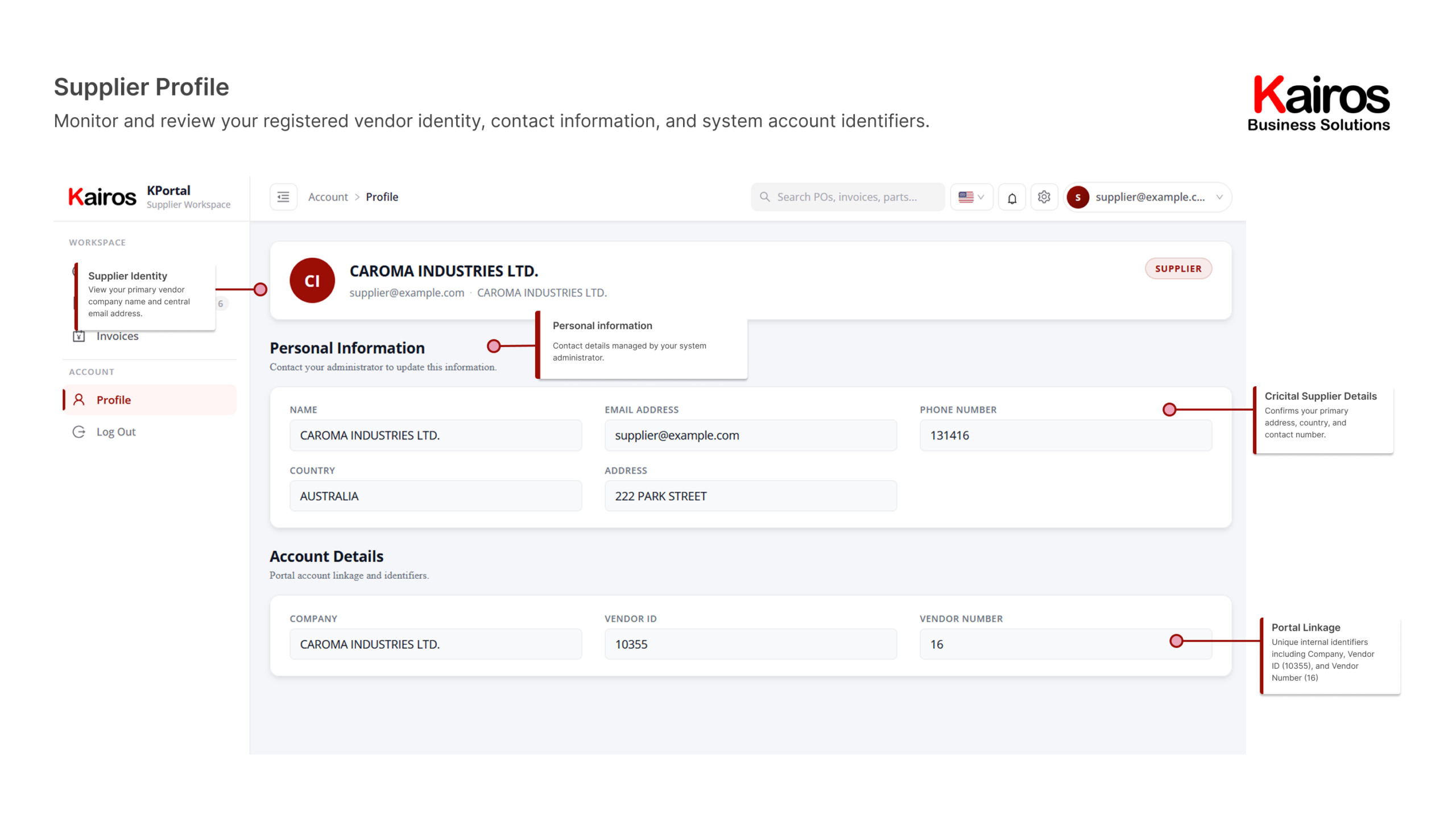
What you’ll find
- Personal contact information
- Account configuration details
- Credited supplier documentation
- Portal linkage configurations
DashboardYour business activity at a glance
See how many orders, shipments, and invoices need your attention, plus your most recent orders, right from the home screen.
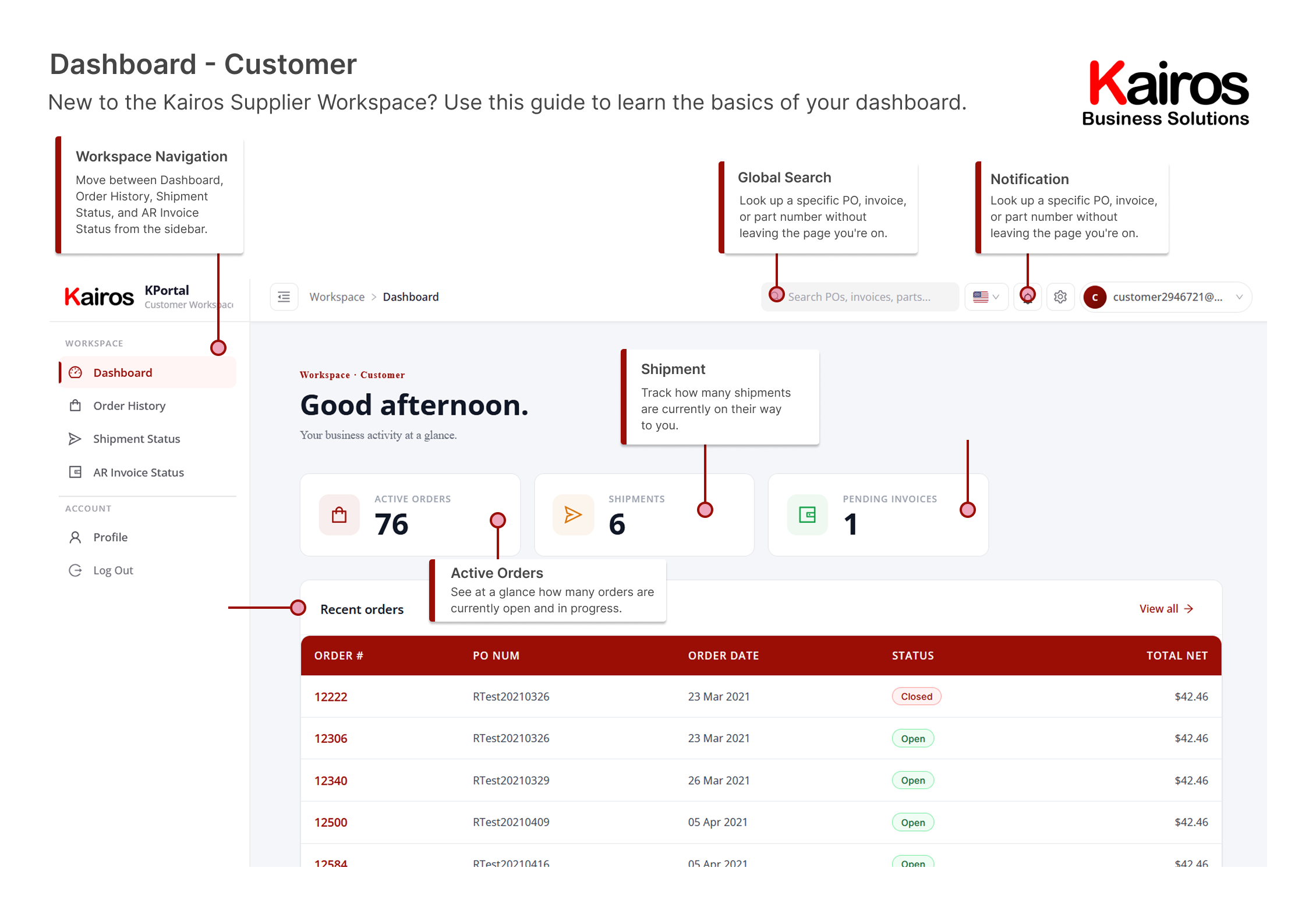
What you’ll find
- Workspace navigation sidebar
- Global search across POs, invoices, and parts
- Notifications and account menu
- Active Orders, Shipments, and Pending Invoices summary cards
- Recent orders table
Order historyFind, filter, and act on every order
Browse your full order history, filter by status, and take action directly from the list.
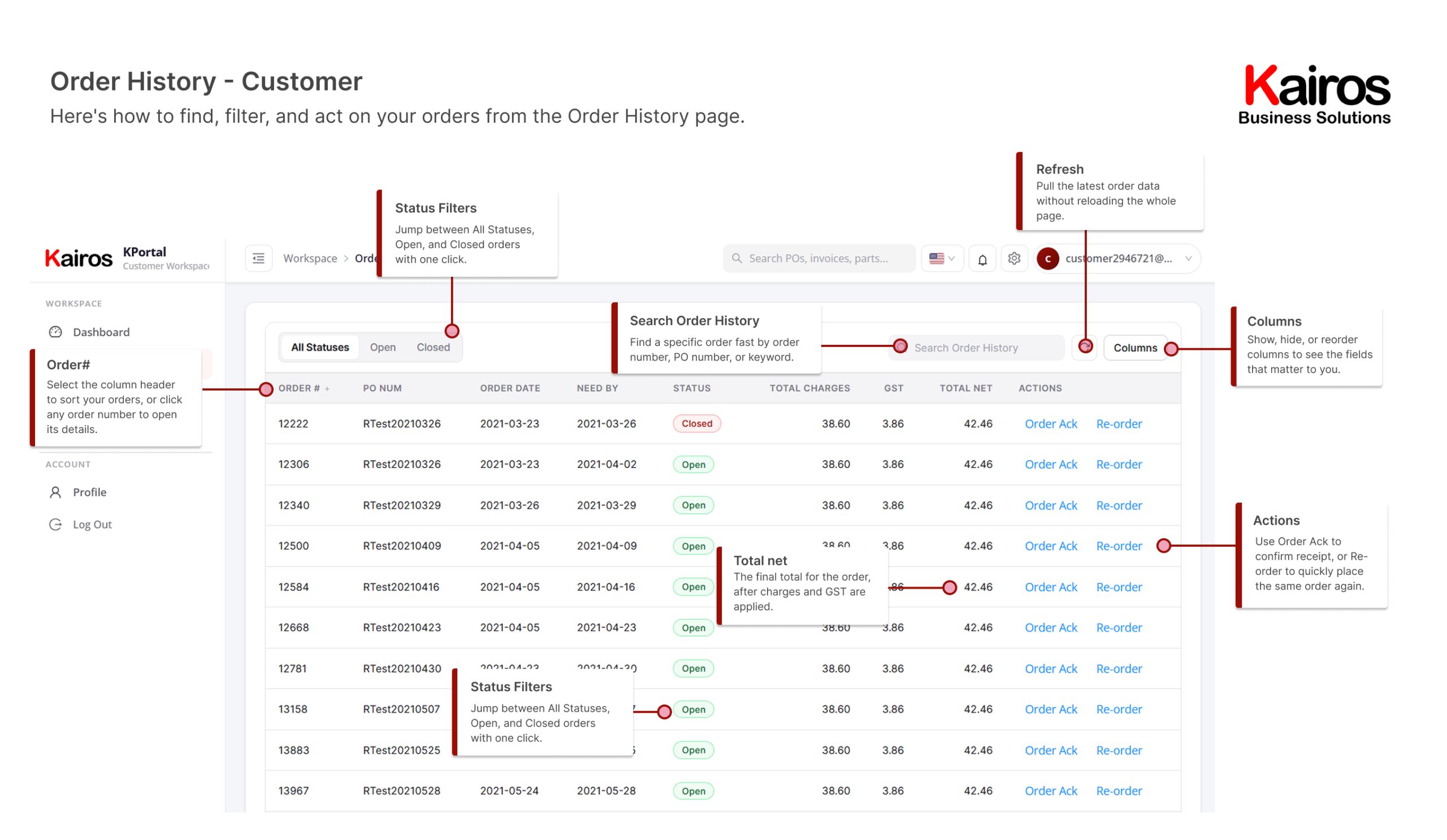
What you’ll find
- All Statuses, Open, and Closed filters
- Search Order History
- Refresh and Columns controls
- Sortable Order # column
- Color-coded status badges
- Order Ack and Re-order actions
Order detailDrill into a single order’s full specs
Select any order from Order History to open this detail view and see exactly what’s in it.
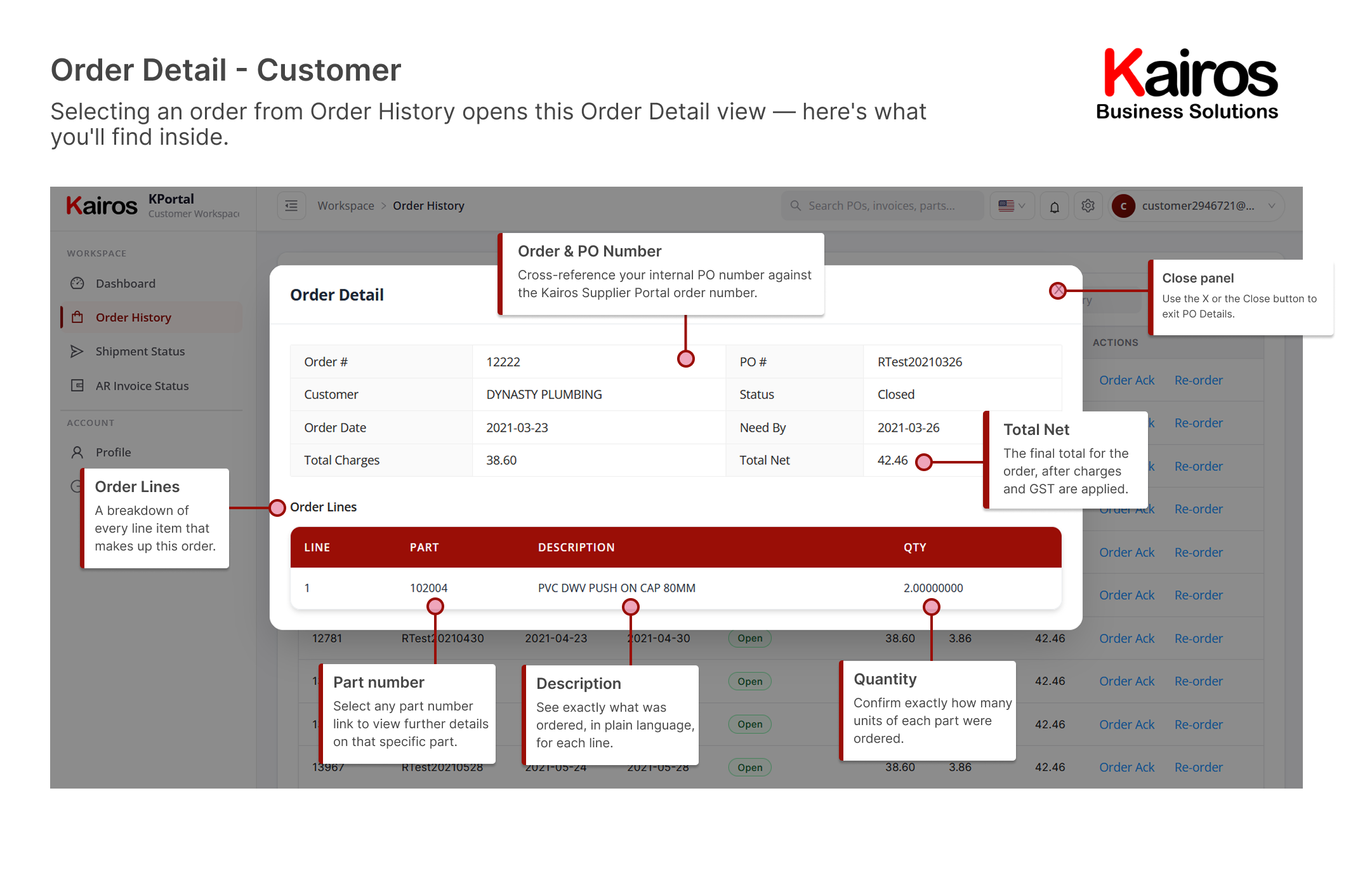
What you’ll find
- Order # and PO # cross-reference
- Status and Total Net
- Order Lines breakdown
- Clickable part number links
- Quantity per line item
Shipment statusTrack every shipment in transit
See which shipments have gone out, been invoiced, or are still pending, and act on any of them directly.
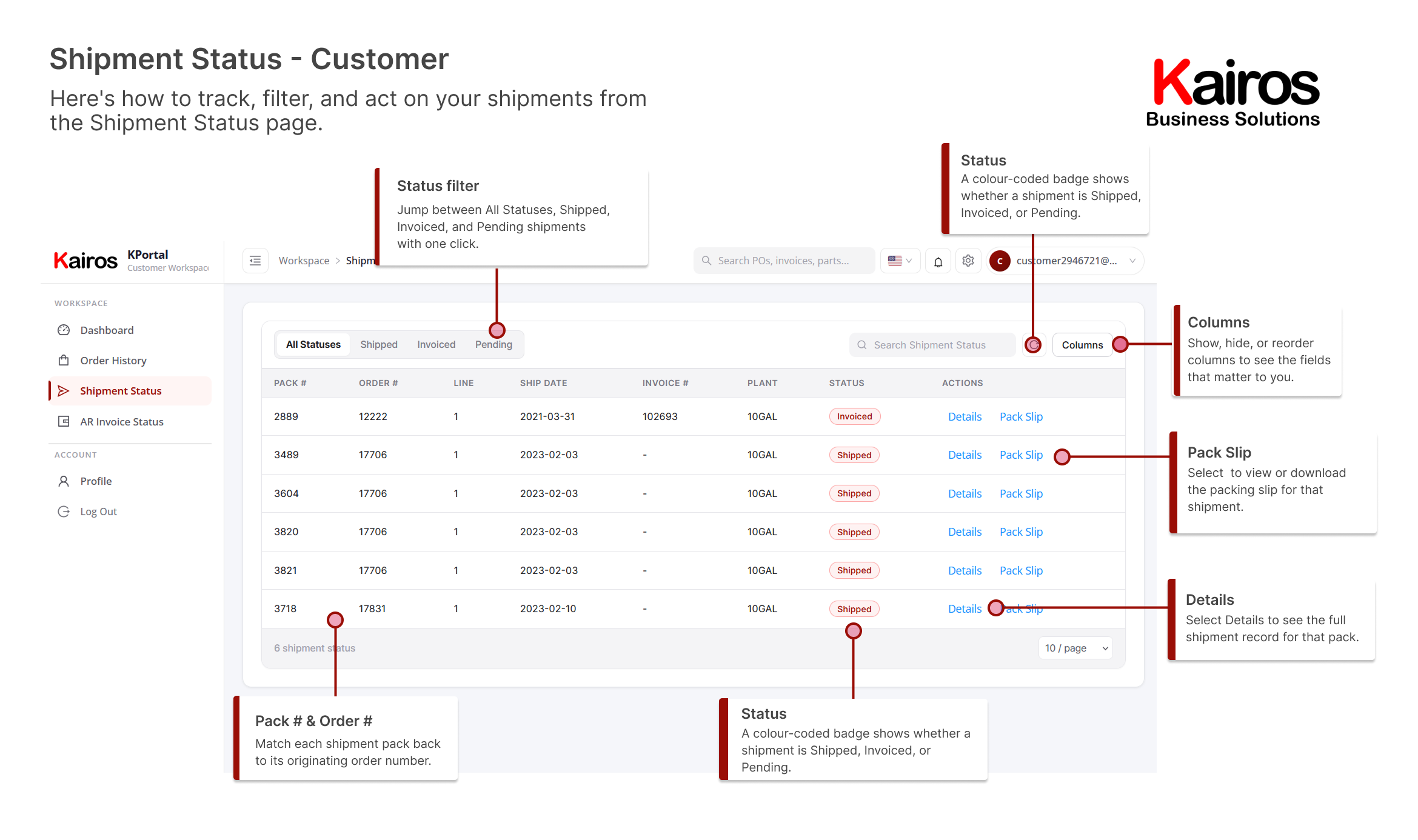
What you’ll find
- All Statuses, Shipped, Invoiced, and Pending filters
- Search Shipment Status
- Refresh and Columns controls
- Pack # and Order # cross-reference
- Color-coded status badges
- Details and Pack Slip actions
Shipment detailFull breakdown of a single shipment
Select any shipment from Shipment Status to open this detail view, including everything shipped and its history.
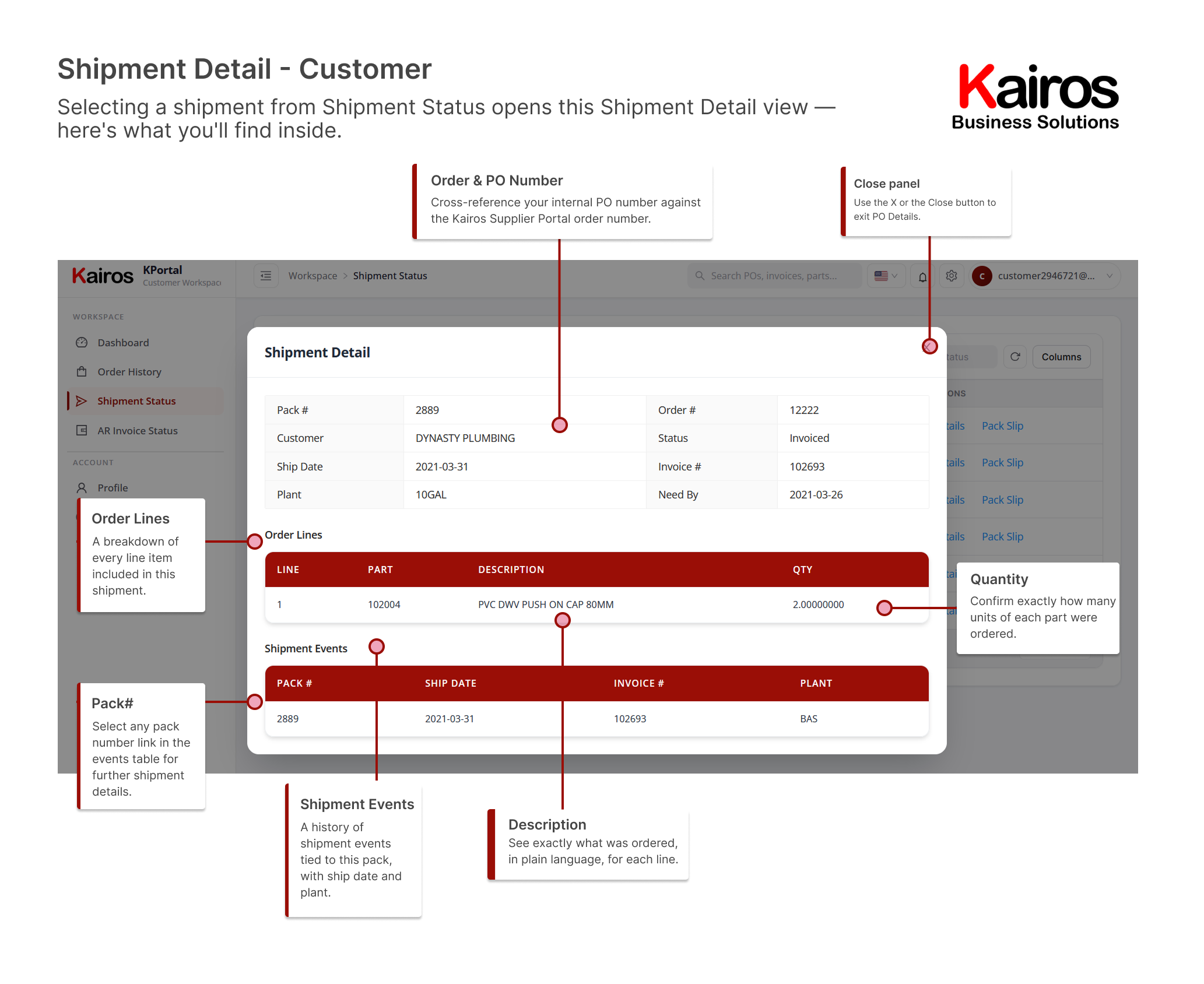
What you’ll find
- Pack # and Order # cross-reference
- Status and Invoice #
- Order Lines breakdown
- Shipment Events history
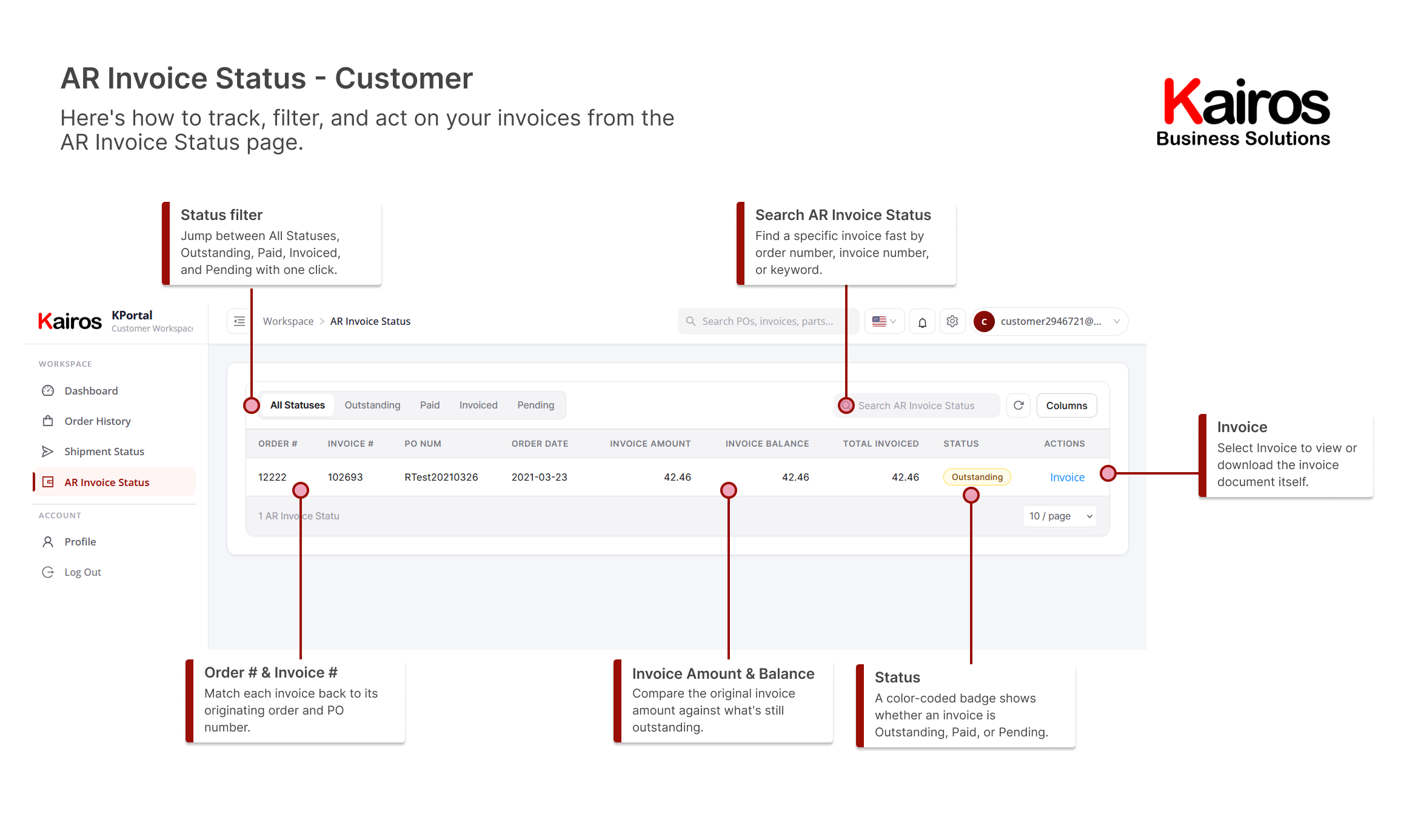
AR invoice statusTrack billing status and balances
Follow every invoice raised against your account, trace status updates, and review outstanding balances.
What you’ll find
- All Statuses, Outstanding, Paid, Invoiced, and Pending filters
- Search AR Invoice Status
- Refresh and Columns controls
- Order # and Invoice # cross-reference
- Invoice Amount and Balance
- Invoice action link
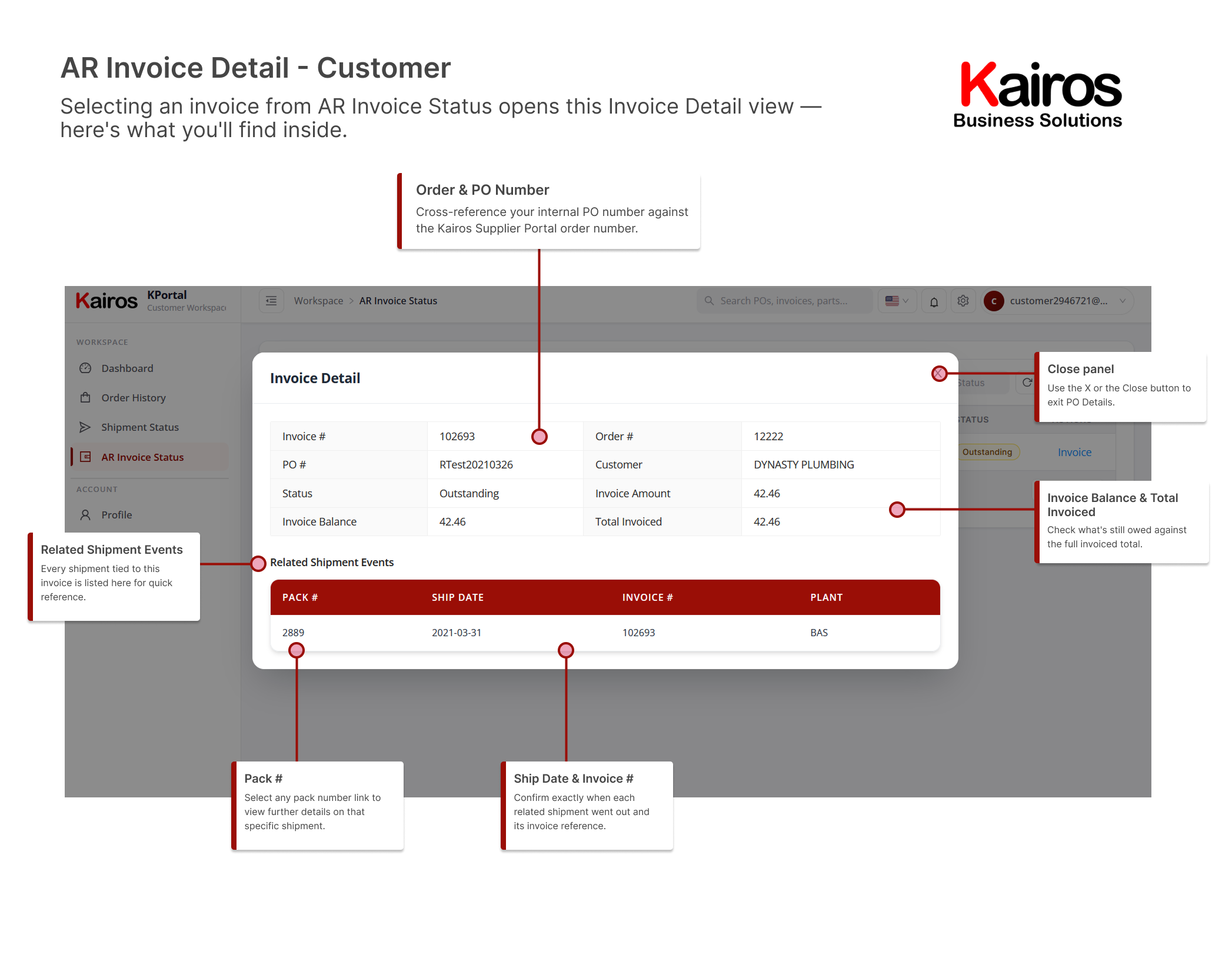
AR invoice detailFull invoice breakdown and related shipments
Select any invoice from AR Invoice Status to open this detail view, including everything it was billed against.
What you’ll find
- Invoice # and Order # cross-reference
- PO # and Customer
- Status and Invoice Amount
- Invoice Balance and Total Invoiced
- Related Shipment Events